
Call: 08071789993
 Send Inquiry
 Send Inquiry
32 Inch Enora Smart Android Cloud LED TV
Price 8000.0 INR/ Unit
MOQ : 1 Unit
32 Inch Enora Smart Android Cloud LED TV Specification
- Input Power
- 40 W
- Color
- Black
- Screen Size
- 32 inch
- Material
- ABS Plastic Casing
- Frequency (MHz)
- 50/60 Hz
- Wide Screen Support
- No
- Resolution
- 1920 x 1080 pixels
- Contrast Ratio
- 1200:1
- Sound Level
- 16W (2x8W speakers)
- Voltage
- 220 V
- Dimension (L*W*H)
- Approx. 730 x 430 x 80 mm
- Weight (kg)
- 4.5 kg
- Remote Control
- No
- HDMI
- 2
- Recording Mode
- Cloud Recording Support
- Product Type
- LED Smart TV
- LCD Display
- No
- Bezel Design
- Slim
- Panel Grade
- A+
- Connectivity
- Wi-Fi, HDMI, USB
- Bluetooth
- Available
- Mounting Type
- Wall Mount
- Display Type
- LED
- USB Ports
- 2
- Energy Saving Mode
- Yes
- Chromecast Built-in
- Yes
- Screen Mirroring
- Supported
- Speaker Type
- Built-in Stereo
- Android Version
- Android 9.0
- Wi-Fi
- Yes
- Model
- ENR321
- Picture Modes
- Multiple Presets
32 Inch Enora Smart Android Cloud LED TV Trade Information
- Minimum Order Quantity
- 1 Unit
- Payment Terms
- Cash in Advance (CID)
- Supply Ability
- 100 Units Per Month
- Delivery Time
- 2-5 Days
- Main Domestic Market
- All India
32 Inch Enora Smart Android Cloud LED TV About
Experience the ephemeral brilliance of the 32 Inch Enora Smart Android Cloud LED TV, purpose-built for those seeking an outstanding visual journey. Utilise this valiant device featuring the distinguished Android 9.0 platform, bezel-less A+ grade panel, and exceptional cloud recording capability. Effortlessly explore a world of content thanks to integrated Chromecast, dual USB ports, HDMI, and robust Wi-Fi connectivity. Bluetooth and wall-mount design foster seamless integration. The energy-saving mode and diverse picture presets make every moment vivid, whilst the slim build exudes modern elegance. Offer yourself unmatched clarity and versatility in home entertainment.
Versatile Entertainment for Every Setting
The 32 Inch Enora Smart Android Cloud LED TV is suited for both specific and general entertainment needs. Utilise its advanced features for streaming, gaming, or casual TV viewing. Direction of use is effortless; simply mount on the wall, connect to Wi-Fi or Bluetooth, and navigate with the remote control. This model excels when used as a living room centrepiece or a dynamic addition to bedrooms or offices, providing immersive screen mirroring and cloud recording for modern users.
Efficient Supply and Domestic Delivery Excellence
The Enora 32 Inch Smart Android TV is supplied across the Indian domestic market, ensuring outstanding service and rapid response to retailer and consumer needs. Supply ability is robust, supporting bulk and individual orders. Payment terms are customer-friendly, with transparent options for buyers. Each unit is securely prepared for shipment and efficiently dispatched, with seamless handover to verified logistics partners, affirming prompt delivery and hassle-free installation for every client.
Versatile Entertainment for Every Setting
The 32 Inch Enora Smart Android Cloud LED TV is suited for both specific and general entertainment needs. Utilise its advanced features for streaming, gaming, or casual TV viewing. Direction of use is effortless; simply mount on the wall, connect to Wi-Fi or Bluetooth, and navigate with the remote control. This model excels when used as a living room centrepiece or a dynamic addition to bedrooms or offices, providing immersive screen mirroring and cloud recording for modern users.
Efficient Supply and Domestic Delivery Excellence
The Enora 32 Inch Smart Android TV is supplied across the Indian domestic market, ensuring outstanding service and rapid response to retailer and consumer needs. Supply ability is robust, supporting bulk and individual orders. Payment terms are customer-friendly, with transparent options for buyers. Each unit is securely prepared for shipment and efficiently dispatched, with seamless handover to verified logistics partners, affirming prompt delivery and hassle-free installation for every client.
FAQ's of 32 Inch Enora Smart Android Cloud LED TV:
Q: How do I connect the Enora 32 Inch Smart TV to Wi-Fi?
A: To connect the TV to Wi-Fi, go to Settings, select Network, and choose your Wi-Fi network. Enter your password and the TV will connect, allowing you to stream content and access internet features.Q: What are the main benefits of the cloud recording feature?
A: Cloud recording allows you to save TV shows and movies directly to cloud storage, ensuring you never miss your favourite content and can access it anytime, even when not at home.Q: When should I utilise the energy-saving mode?
A: Energy-saving mode is ideal when you want to reduce power consumption and extend the lifespan of your TV, especially during extended usage or overnight viewing.Q: Where can this TV be conveniently mounted or placed?
A: The slim, wall-mountable design enables easy installation in living rooms, bedrooms, offices, or entertainment areas, maximising space and enhancing room aesthetics.Q: What is the process for using screen mirroring?
A: Activate screen mirroring in the TV's settings, then connect your compatible mobile device using Wi-Fi or Bluetooth. Your device's screen will be mirrored on the TV instantly.Q: How many external devices can be connected to this Enora Smart TV?
A: You can connect up to two USB devices, two HDMI devices, and wireless peripherals via Bluetooth to enhance your entertainment experience.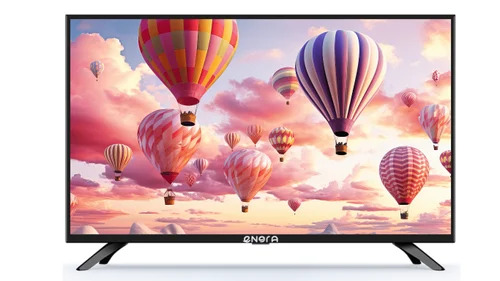
Tell us about your requirement

Price:
Quantity
Select Unit
- 50
- 100
- 200
- 250
- 500
- 1000+
Additional detail
Mobile number
Email

More Products in Android LED TV Category
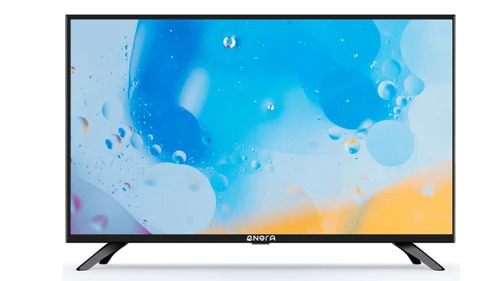
24 Inch Enora Smart Android Cloud LED TV
Price 6500 INR / Unit
Minimum Order Quantity : 1 Unit
Screen Size : 24 inch
Resolution : HD Ready
HDMI : 2 Ports
Remote Control : Yes
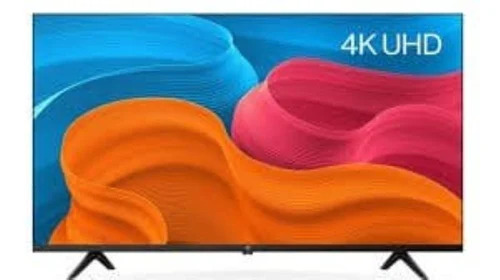
65 Inch DIGITAL BOARD
Price 50000.0 INR / Piece
Minimum Order Quantity : 1 Piece
Screen Size : 65 inch Inch (in)
Resolution : 4K UHD
Remote Control : Yes
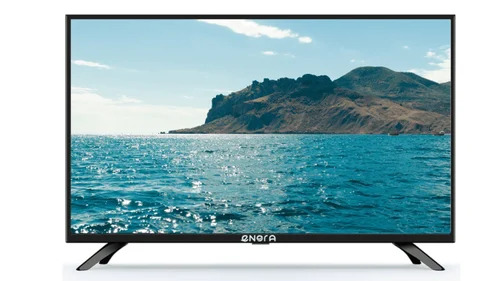
43 Inch Enora Smart Android Cloud LED TV
Price 15700.0 INR / Unit
Minimum Order Quantity : 1 Unit
Screen Size : 43 inch Inch (in)
Resolution : Full HD
HDMI : 2

Contact Details
Panatronix Electronics Pvt Ltd
GST : 23AANCP5807E1ZH
- G-5, 1/314, D.K-1, Danish Kunj, Kolar Road Bhopal - 462042, Madhya Pradesh, India
- Phone :08071789993
 Send Inquiry
Developed and Managed by Infocom Network Private Limited.
